How to Fine-Tune Tiny-LLaMA in Google Colab — Step by Step
A complete walkthrough of fine-tuning an LLM using Google Colab, covering dataset prep, tokenization, training, export, and local deployment.
How to Fine-Tune Tiny-LLaMA in Google Colab
Fine-tuning a Large Language Model sounds intimidating, but it doesn't have to be. In this post, I'll walk you through the entire process of fine-tuning Tiny-LLaMA inside Google Colab — no expensive GPU required.
Why Fine-Tune?
Pre-trained models are great generalists, but they often fall short on domain-specific tasks. Fine-tuning lets you:
- Teach the model your data — custom formats, industry jargon, specific outputs
- Reduce hallucinations — the model learns what's actually correct in your domain
- Cut costs — a small fine-tuned model can outperform a massive general model on your specific task
Prerequisites
- A Google account (for Colab)
- Basic Python knowledge
- A dataset (we'll use an HTML-to-JSON conversion dataset)
Step 1: Set Up the Environment
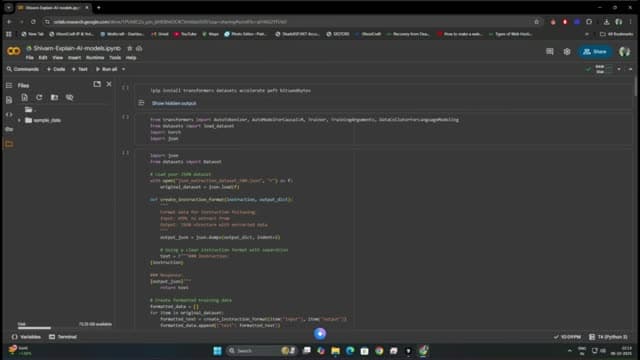
Open a new Google Colab notebook and install the required libraries:
!pip install transformers datasets peft trl bitsandbytes accelerateThese libraries handle everything from model loading to training:
- transformers — Hugging Face's model library
- datasets — for loading and processing training data
- peft — Parameter-Efficient Fine-Tuning (LoRA)
- trl — Training with Reinforcement Learning (SFTTrainer)
- bitsandbytes — 4-bit quantization to fit models in limited GPU memory
Step 2: Load the Base Model
from transformers import AutoModelForCausalLM, AutoTokenizer

model_name = "TinyLlama/TinyLlama-1.1B-Chat-v1.0"

tokenizer = AutoTokenizer.from_pretrained(model_name)
model = AutoModelForCausalLM.from_pretrained(
    model_name,
    load_in_4bit=True,
    device_map="auto"
)
We load Tiny-LLaMA in 4-bit quantization so it fits comfortably in Colab's free GPU memory (usually a T4 with 15GB VRAM).
Step 3: Prepare Your Dataset
Your dataset should be in a conversational format. For our HTML-to-JSON example:
from datasets import load_dataset

dataset = load_dataset("json", data_files="your_dataset.json")
Each entry should look like:
{
  "instruction": "Convert this HTML to JSON",
  "input": "<div class='card'><h2>Title</h2><p>Content</p></div>",
  "output": "{\"type\": \"card\", \"title\": \"Title\", \"content\": \"Content\"}"
}
Step 4: Configure LoRA
Instead of fine-tuning all model parameters (which would require massive compute), we use LoRA — it only trains a small set of adapter weights:
from peft import LoraConfig

lora_config = LoraConfig(
    r=16,
    lora_alpha=32,
    target_modules=["q_proj", "v_proj"],
    lora_dropout=0.05,
    bias="none",
    task_type="CAUSAL_LM"
)- r=16 — rank of the decomposition (higher = more capacity, more memory)
- lora_alpha=32 — scaling factor
- target_modules — which layers to apply LoRA to
Step 5: Train
from trl import SFTTrainer
from transformers import TrainingArguments

training_args = TrainingArguments(
    output_dir="./results",
    num_train_epochs=3,
    per_device_train_batch_size=4,
    gradient_accumulation_steps=4,
    learning_rate=2e-4,
    fp16=True,
    logging_steps=10,
    save_strategy="epoch",
)

trainer = SFTTrainer(
    model=model,
    train_dataset=dataset["train"],
    peft_config=lora_config,
    args=training_args,
    tokenizer=tokenizer,
    max_seq_length=512,
)

trainer.train()
Training on Colab's free T4 GPU typically takes 30-60 minutes for a small dataset.
Step 6: Export and Download
# Save the fine-tuned model
model.save_pretrained("./fine-tuned-model")
tokenizer.save_pretrained("./fine-tuned-model")

# Zip and download
!zip -r fine-tuned-model.zip ./fine-tuned-model
from google.colab import files
files.download("fine-tuned-model.zip")
Step 7: Run Locally
Once downloaded, you can run your fine-tuned model locally:
from transformers import AutoModelForCausalLM, AutoTokenizer

model = AutoModelForCausalLM.from_pretrained("./fine-tuned-model")
tokenizer = AutoTokenizer.from_pretrained("./fine-tuned-model")

input_text = "Convert this HTML to JSON: <div><h1>Hello</h1></div>"
inputs = tokenizer(input_text, return_tensors="pt")
outputs = model.generate(**inputs, max_new_tokens=200)
print(tokenizer.decode(outputs[0], skip_special_tokens=True))
Key Takeaways
- You don't need expensive hardware — Google Colab's free tier is enough for small models
- LoRA makes fine-tuning practical — train adapter weights instead of the full model
- Start small — Tiny-LLaMA is perfect for learning the process before scaling up
- Quality data > quantity — 500 high-quality examples often beat 50,000 noisy ones
Fine-tuning is one of the most powerful skills you can learn in the AI space. Once you understand the process, you can customize any open-source model for your specific use case.
Have questions about fine-tuning? Reach out to me on LinkedIn or check out my GitHub.